

书籍介绍
这本书把目光投向了数字产品里最容易被忽略、却又最决定成败的细微之处:一次提醒、一个角标、一条反馈。作者Dan Saffer没有去谈宏大的产品架构,而是钻进那些'改变一个设置''如何静音''如何知道有新邮件'的小瞬间,拆解出触发器、规则、反馈、模式、循环五个要素,告诉你好产品与令人珍视的产品之间,往往只差这些细节。它最耐人寻味之处,在于毫不避讳地揭示微交互'双刃剑'的一面——赌机式的反馈设计如何让人上瘾,Gmail里不合时宜的笑脸如何让人反感。正因如此,它特别适合那些不满足于'能用'、想打磨产品质感的交互与设计师阅读;同时也会让读者对日常指尖上的那些小动作,生出全新的警觉与品味。
作者简介
Dan Saffer is a Director of Interaction Design at Smart Design. He is the author of Designing for Interaction: Creating Innovative Applications and Devices (New Riders), Designing Gestural Interfaces (O'Reilly), and Designing Devices. Since 1995, he has designed appliances, devices, software, websites, and services that are used by millions of people every day.
AI导读
核心看点
- 系统阐述微交互的四大要素:触发器、规则、反馈与模式。
- 通过真实案例解析如何将枯燥功能转化为令人愉悦的细节体验。
- 提供改进现有产品微交互的实用方法与评估框架。
读者共识
- 微交互是区分优秀与平庸数字产品的关键细节所在。
- 理论框架清晰实用,但部分案例陈旧,需结合当下审视。
- 适合入门学习,资深从业者可能觉得内容浅显或逻辑松散。
精彩摘录
- "在本书写作时(2013年3月),iOS6只允许在角标中显示数字,而且只允许显示4个角标。怎么办?如果闹铃事件是6:30,可以在角标中显示630,那要是12:30呢?1230能表达清楚吗?而且这样使用角标也不合规则,因为角标里的数字通常都用来表示未读信息的鄂数量。"
- "The reason that slot machines - microinteractions device for sure - work so well at taking money from people is because of the feedback they provide. Most (read: all) of this feedback is insidious , designed specifically to keep people playing for as long as possible."
- "对最后一点,设计师兼工程师 Bill Scott归纳了与动画相关的要点: 1.改变视图的时候要保持上下文。滚动列表或平移传送带中的内容,可以看到之前和之后的内容。 2.解释刚刚发生了什么。灰飞烟灭表示有东西被除了。 3.展示对象间的关系。比如,在拖放结束时,让被拖动的对象移动到放置目标中。 4.集中注意力。修改某项的值时,动画可以让变化更明显。 5.提高感知效能。进度条不会缩短下载时间,但却能让人感觉时间过得没有那么慢。 6.创造虚拟空间的假象。比如,怎么让面板滑入滑出,或者让面板从哪里滑入,从哪里滑出。在用户改变对象状态或切换使用模式时,过渡是微交互动画的重要实现方式。过渡能给人位置感和路线"
- "The overall experience of a product relies heavily on its microinteractions."
- "iPhone 上的 Gmail 应用是一个反面教材 —— 连不应该开心的消息都放了笑脸图标。"
- "畅销书作者 Scott Berkun对引人注目这一点有过精彩的评述,以下是我移植到微交互的版本: 多数人经常要用的徽交互,应该最引人注目 少数人有时会用的微交互,应该容易注意到 极少数人不常用的微交互,应该通过搜索找 *Tips:听觉反应快于视觉、寻找东西时视野变窄、辨别物体时会寻找熟悉的简单小几何体"
- "最引人注目的触发器依次是: 移动的物体,比如脉动图标 带使用情境和标签的物体,比如带标签的按钮 带标签的物体,比如带标签的图标 只有一个物体,比如图标 只有一个标签,比如菜单项 什么也没有一一不可见的触发器,比如手势。不可见触发器应该能够学习得到,或者说在理想情况下可以让用户在执行其他动作时偶然发现"
- "系统触发器的规则需要回答以下问题: 1.这个触发器多长时间启动一次? 2.已经知道哪些与用户相关的数据?怎么利用这些数据オ能让触发效率更高、更令人偷快或更能体现用户个性?比如,知道用户当地时间是午夜时分,就可以减少系统触发器启动的次数 3.有没有触发器已经启动的指示器?当时是否给出了可见的状态更新?启动指示器前后有何变化? 4.系统出错时(例如网络连接断开、数据无效时)会发生什么?不再尝试启动,还是再次尝试?再次尝试的间隔时间多长?"
用户评论
此书在O'Reilly限时半价,优惠码“DEAL”
很好的一本微交互入门书!用户体验设计师必须要读呀
triggers , rules , feedback , modes, testing .
The examples are AWESOME!!! By the way, I'm not a big fan of invent-a-new-word-then-explain-as-I-want. However, that "microinteraction" idea looks promising.
更新一版之后更好
对于微交互有细致的划分与原则指导,同时也给出了相当可观的案例。但是最后的串联部分过于执着地运用微交互,有点疲软了。
跟Jon Kolko都是CMU毕业的(是否同级没去考证),但却选择了两个截然不同的方向:Jon选择了大设计,一路走向了well design的Business vs design,思考也蛮有深度;而Dan在小设计里深挖,别有洞天,走向了情感化设计的极致。两人对我影响都很大!究竟什么是设计?我倾向于大方向后的小细节
你可能会关注的书籍
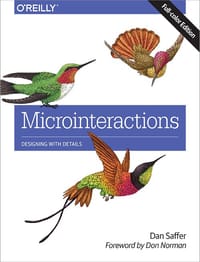 Microinteractions: Full Color Edition
 Designing for Interaction
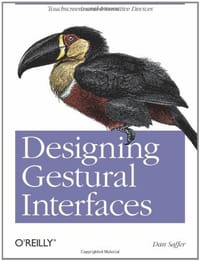 Designing Gestural Interfaces
 Designing for Interaction
O'Reilly Media的其他书籍查看全部
 Developing Apps with GPT-4 and ChatGPT
 Building Knowledge Graphs
 Essential Math for AI
 Running Lean (3/e)
 Quarkus Cookbook
 Learning React 2nd ed.
下载
收藏