
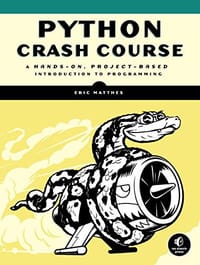
书籍介绍
这本书最鲜明的特点,是前半部分语法讲解的耐心细致与后半部分三个项目的仓促快速之间形成的落差。很多读者正是被前者留住:从字符串拼接、列表字典到类与循环,每一步都讲得很细,被零基础的读者反复称为
作者简介
Eric Matthes is a high school science and math teacher living in Alaska where he teaches Introduction to Python. He has been writing programs since he was five years old.
AI导读
核心看点
- 前半部分详解列表、字典等基础语法,注重代码规范。
- 后半部分通过游戏、数据可视化和Web应用三大项目实战。
- 节奏紧凑,旨在让读者快速掌握Python并解决实际问题。
读者共识
- 公认的最佳Python入门教材,讲解耐心且通俗易懂。
- 基础部分极佳,但项目部分被部分读者认为略显仓促。
- 适合纯小白建立信心,有编程基础者可能觉得内容浅显。
精彩摘录
- "在文件夹 Applications/Utilities 中,选择 Terminal,打开一个终端窗口;也可以按Command + 空格键,再输入 terminal 并按回车键。为确定是否安装了较新的 Python 版本,请执行命令 python3。很可能会出现一个消息框,询问你是否要安装命令行开发者工具。最好先安装 Python,再安装这些工具,因此请关闭该消息框。 如果输出表明已经安装了 Python 3.9 或更高的版本,可跳过下一小节,直接阅读“在终端会话中运行 Python 代码”。如果安装的是 Python 3.9 之前的版本,请按下一小节的说明安装最新的版本。 请注意,如果你使用的"
- "line_chart.x_labels = x_unique"
- "first_name="ada" last_name="lovelace" full_name=first_name+" "+last_name 输出得ada lovelace python用+加号来合并字符串,这种方法叫拼接。"
- "first_name="ada" last_name="lovelace" full_name=first_name+" "+last_name print("Hello, "+full_name.title()+"!") 输出得Hello, Ada Lovelace!"
- "first_name="ada" last_name="lovelace" full_name=first_name+" "+last_name message="Hello, "+full_name.title()+"!" print(message) 这个也可输出得Hello, Ada Lovelace! 但是最后的print 语句就会简单很多"
- "要获悉Python解释器的完整路径,请执行如下命令: $ type -a python3 python3 is /usr/local/bin/python3 现在,启动Sublime Text,并选择菜单Tools ->Build System->New Build System,这将打开一个新的配置文件。删除其中的所有内容,再输入如下内容:{ "cmd": ["/usr/local/bin/python3", "-u", "$file"], } 将配置文件命名为Python3.sublime-build,并将其保存到默认目录——你选择菜单Save时Sublime Text打开的目录"
- "Python is an easy to learn, powerful programming language. It has efficient high-level data structures and a simple but effective approach to object-oriented programming. Python’s elegant syntax and dynamic typing, together with its interpreted nature, make it an ideal language for scripting and rap"
- "在命令窗口中,要在文件系统中导航,可使用终端命令cd;要列出当前目录中的所有文件可使用命令dir(表示目录, directory) 为运行程序 hello_world.py,请打开一个新的终端窗口,并执行下面的命令: 1 C: \>cd Desktoppython_work 2 C: \Desktop\python_work> dir hello world.py 3 C: \Desktop\python_work>python hello_wor ld Hello Python world 这里使用了命令cd来切换到文件夹 Desktop python work(见1)。接下来,使用命令di"
No Starch Press的其他书籍查看全部
 Open Circuits
 The Rust Programming Language (Covers Rust 2018)
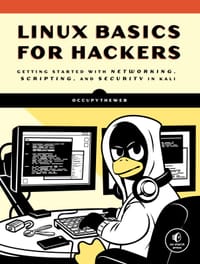 Linux Basics for Hackers
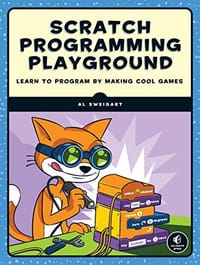 Scratch Programming Playground
 Python Playground
 The GNU Make Book
下载
收藏