
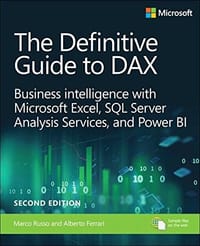
Now expanded and updated with modern best practices, this is the most complete guide to Microsoft’s DAX language for business intelligence, data modeling, and analytics. Expert Microsoft BI consultants Marco Russo and Alberto Ferrari help you master everything from table functions through advanced code and model optimization. You’ll learn exactly what happens under the hood when you run a DAX expression, and use this knowledge to write fast, robust code. This edition focuses on examples you can build and run with the free Power BI Desktop, and helps you make the most of the powerful syntax of variables (VAR) in Power BI, Excel, or Analysis Services. Want to leverage all of DAX’s remarkable capabilities? This no-compromise “deep dive” is exactly what you need.
Perform powerful data analysis with DAX for Power BI, SQL Server, and Excel
· Master core DAX concepts, including calculated columns, measures, and calculation groups
· Work efficiently with basic and advanced table functions
· Understand evaluation contexts and the CALCULATE and CALCULATETABLE functions
· Perform time-based calculations
· Use calculation groups and calculation items
· Use syntax of variables (VAR) to write more readable, maintainable code
· Express diverse and unusual relationships with DAX, including many-to-many relationships and bidirectional filters
· Master advanced optimization techniques, and improve performance in aggregations
· Optimize data models to achieve better compression
· Measure DAX query performance with DAX Studio and learn how to optimize your DAX
Marco Russo和Alberto Ferrari是SQLBI.COM的创始人,他们定期在网站上发表有关DAX和其他微软数据分析和商业智能工具的文章。他们还定期在主要的国际会议(如TechEd、PASS峰会、SQLRally和SQLBits)上发表演讲,。两位作者在商业智能和微软商业智能技术方面提供咨询和指导。
译者简介
高飞
数据分析师,BI总监
2015年接触Power Pivot,被DAX语言的强大和灵活所吸引。
2016年3月创建了面向Power BI的微信公众号“Power BI极客”,并更新至今。
2019年上线同名网站PowerBIGeek.com,致力于打造一个综合性的Power BI中文学习网站。
现从事技术分享,企业BI项目实施和培训工作。
微软Power BI最有价值专家(MVP),Power BI可视化大赛评委,Excel...
显示全部
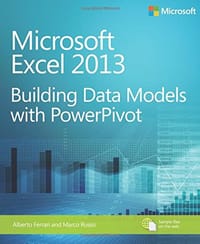 Microsoft Excel 2013 Building Data Models with PowerPivot
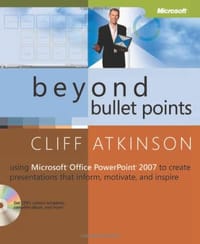 Beyond Bullet Points
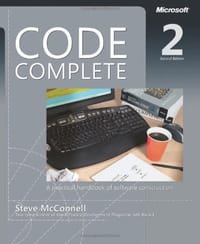 Code Complete
 Desktop Applications for Microsoft VC++ 6.0